Deep learning is no longer limited to advanced researchers or high-tech laboratories. Today, there are several deep learning tools that make it simple for anyone to try artificial intelligence (AI) without deep coding knowledge. These tools use clear interfaces, drag-and-drop features, and simple steps that allow beginners to train and test AI models with ease.
In this article, we will explore some of the most popular deep learning tools like Teachable Machine, Scratch with Machine Learning extensions, and other platforms such as Cognimates and MIT App Inventor.
Why Use Deep Learning Tools?
Deep learning tools make AI practical and easy to understand. Instead of writing complex code, you can use images, text, or sounds to teach the computer directly. These tools encourage hands-on learning by allowing experimentation and immediate feedback.
When using these tools, you can:
- Understand how machines recognise images, voices, or gestures.
- Transform simple ideas into interactive projects.
- Develop problem-solving and logical thinking skills through practice.
Did you know?
| Many popular deep learning tools use the same core ideas that power advanced technologies like self-driving cars, voice assistants, and medical imaging. |
Think of it as building step by step:
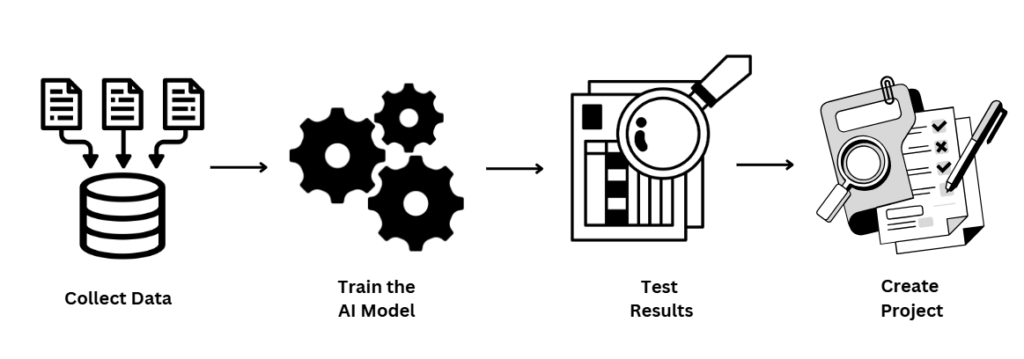
This structured flow turns AI into something accessible and engaging.
Teachable Machine (Google’s Tool)
Google’s Teachable Machine is one of the most widely used deep learning tools for beginners. It allows you to train a computer to recognise images, sounds, or poses in just a few steps.
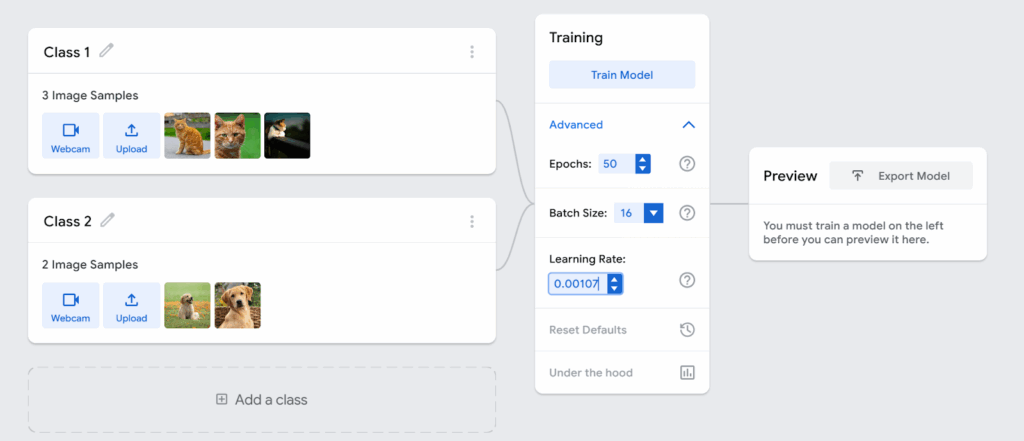
Steps to Use Teachable Machine:
- Visit Teachable Machine.
- Select a project type: Image Project, Sound Project, or Pose Project.
- Collect examples through your webcam or microphone. For instance, record a smiling face and a serious face.
- Train the model with one click.
- Test it in real time to see predictions.
Example: Train the tool to recognise objects on your desk such as a bottle, pen, or notebook. Once trained, the computer can correctly identify the object whenever you show it to the camera.
Scratch + Machine Learning Extensions
Scratch, created by MIT, is popular for creating animations, games, and interactive stories. With Machine Learning extensions, Scratch becomes one of the easiest deep learning tools for interactive projects.
How It Works:
- Open Scratch and add the Machine Learning extension.
- Train a simple model (e.g., recognising hand gestures).
- Use Scratch blocks to connect the AI output with actions.
- Run your project and watch it respond to your input.
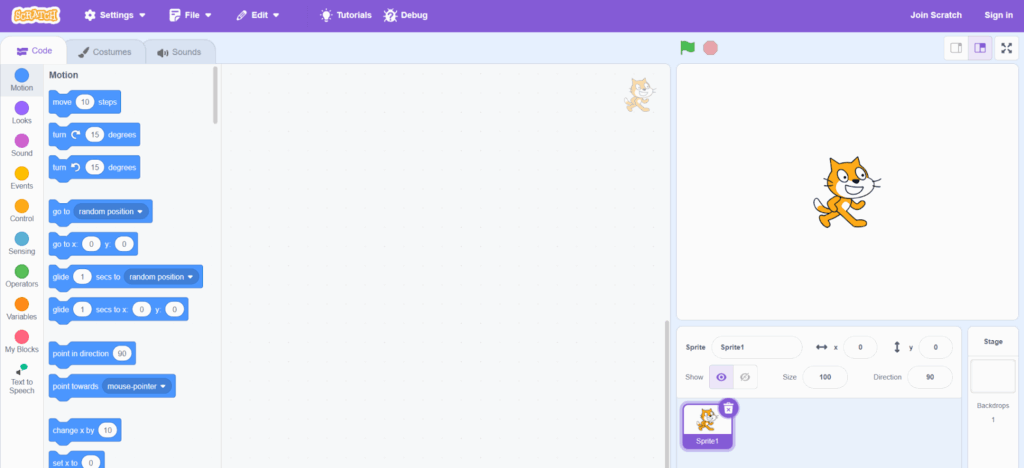
These blocks when connected to trained AI models make them smarter.
Example: Create a game where your hand gestures control character movement. Raise your hand to move a sprite up and lower it to move down.
MIT App Inventor
MIT App Inventor is a visual programming environment where you can build mobile apps using drag-and-drop blocks. With AI extensions, it becomes a powerful deep learning tool that allows you to add image recognition, text analysis, and even voice interaction into your apps.
How It Works:
- Open MIT App Inventor.
- Start a new project and add AI extensions (e.g., image classifier).
- Train or import an AI model.
- Connect AI blocks with app features like camera, text, or voice.
- Test your mobile app on a phone or emulator.
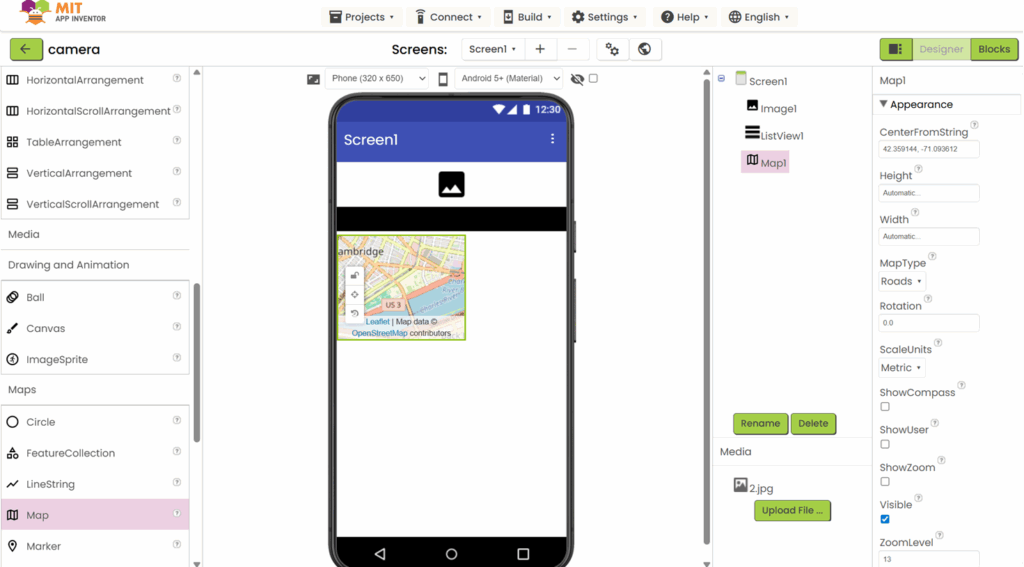
Example: Build an app that identifies objects through the phone camera.
Cognimates
Cognimates is another accessible deep learning tool that allows you to train models to recognise text, images, or even control connected devices. It is designed to help beginners create interactive projects that mix AI with everyday technology.
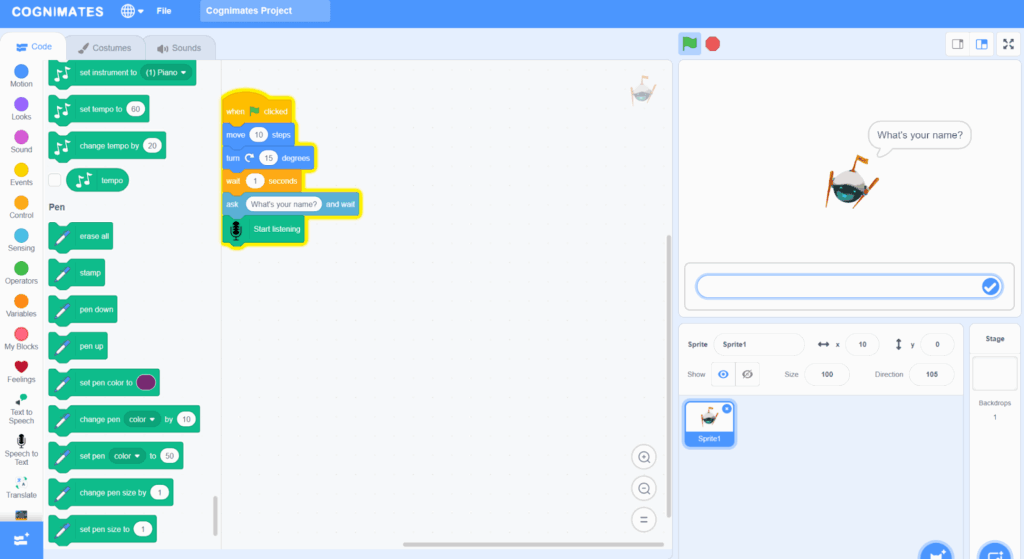
Steps to Use Cognimates:
- Visit Cognimates.
- Choose what type of model you want to build (image or text).
- Train your model with examples.
- Use the trained model inside Scratch or other supported platforms.
Example: Train a chatbot to answer questions about your favourite hobby.
Deep learning tools like Teachable Machine, Scratch with ML extensions, Cognimates, and MIT apps are designed to bring artificial intelligence to children and beginners. By making AI visual, playful, and interactive, these tools allow learners to experiment, create, and understand how machines think.
Whether you are building a toy-recognition game, a voice-powered quiz, or an AI-driven mobile app, these tools give you a chance to bring deep learning to life. They show that AI is not just for scientists, it is for everyone who loves to explore and create.